
The agile ‘Kanban health check’ retrospective -incl. access
Are you searching for an agile “retrospective kanban”, or in other words, an agile retrospective format for a kanban team? Perfect - you found what you are looking for.
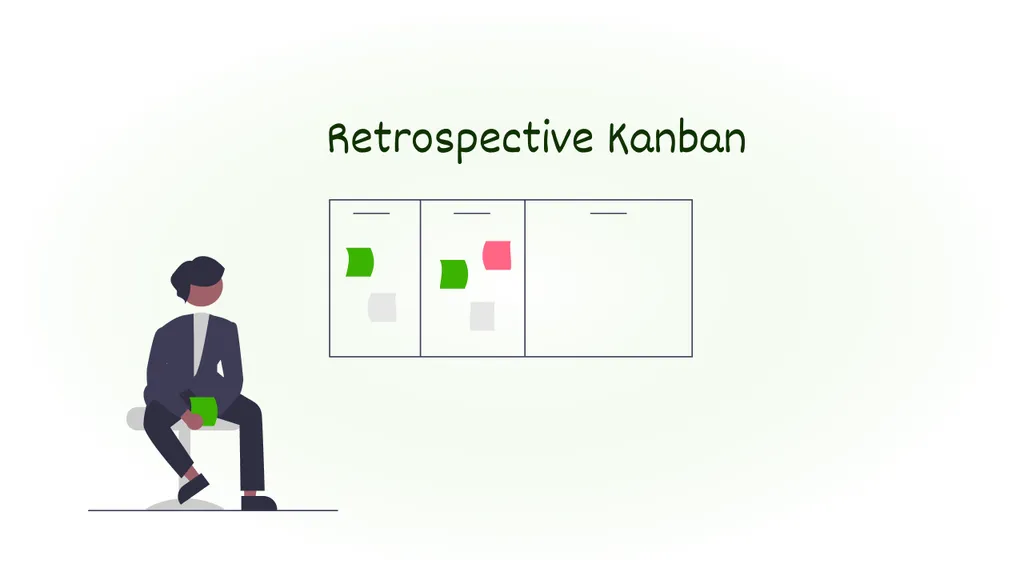
Retrospective Kanban
A retrospective focused on agile Kanban teams
To begin with, obviously, even in agile kanban teams you can do the typical agile sprint retrospective formats like the “Keep, Stop, Start”, Starfish or Sailboat Retrospective or similar ones
But as you are searching for a kanban retrospective, I guess you are looking to reflect your kanban ways of working specifically. This is the reason why in this kanban retrospective, we will basically do an agile health check of your kanban processes.
The Retrospective Kanban Health Check
This “Kanban Retrospective” basically gives you a few points, a few health check sentences that you can discuss with your agile team.
Each of them is a “best practice” behavior or artifact in great agile Kanban teams. Typically, each team member anonymously answers the following questions on a scale from 1 (strongly disagree) to 7 (strongly agree).
Retrospective: Kanban Process
- “Our Kanban board reflects the current state of our work.”
- “In our stand-up meetings, we focus on important tasks and the efficiency of our work.”
- “The WIP limits of each phase optimize our flow.”
Retrospective: Kanban planning
- “Our team has good planning reliability.”
- “We question the value of tasks and discard them when appropriate.”
- “Work on top of the queue is always up to date and ready to pull.”
- “We are good at dealing with unplanned work.”
Retrospective: Kanban Metrics
- “We inspect our flow metrics to identify room for improvement.”
- “We have suitable metrics and ways to visualize our performance and cumulative flow.”
Retrospective: Kanban Improvements
- “In our team, we implement meaningful continuous improvements.”
- “Team members take individual responsibility for improvements.”
Kanban Health Check: How the retro works
Random Icebreaker (2-5 minutes)
Echometer provides you with a generator for random check-in questions.
Review of open actions (2-5 minutes)
Before starting with new topics, you should talk about what has become of the measures from past retrospectives to check their effectiveness. Echometer automatically lists all open action items from past retros.
Health Check
All team members can answer the health checks anonymously on a scale. Then go through the results of the health checks together and record any additional comments if necessary. If you use the same health checks in several retrospectives, you can also track trends over time in Echometer.
- Our Kanban board reflects the current status of our work.
- In our team, we implement meaningful continuous improvements.
- Our team has good planning reliability.
Discuss retro topics
Use the following open questions to collect your most important findings. First, everyone does it themselves, covered. Echometer allows you to reveal each column of the retro board individually in order to then present and group the feedback.
Catch-all question (Recommended)
So that other topics also have a place:
- What else would you like to talk about in the retro?
Prioritization / Voting (5 minutes)
On the retro board in Echometer, you can easily prioritize the feedback with voting. The voting is of course anonymous.
Define actions (10-20 minutes)
You can create a linked action via the plus symbol on a feedback. Not sure which measure would be the right one? Then open a whiteboard on the topic via the plus symbol instead to brainstorm root causes and possible measures.
Checkout / Closing (5 minutes)
Echometer enables you to collect anonymous feedback from the team on how helpful the retro was. This creates the ROTI score ("Return On Time Invested"), which you can track over time.
Kanban Health Check
Health Check Questions (Scale)

The anonymous results for these points are then reflected upon in your agile retrospective. After making the results of the individual points visible, you can ask: “How do you explain the results? Feel free to share what you personally answered.”
By the way: Our agile health check and retrospective tool Echometer helps you to do exactly this workshop in a remote online setting. If you want to do this kanban retrospective for free, simply open it following the button.
The button takes you directly to a retro. If you want to customize the questions, you need to create a free account first.
Again, you might want to add open questions like in the typical retrospective formats - what went well, what didn’t go so well, apart from Kanban?
The rest of the agile sprint retrospective follows the typical 5 phases of a retrospective - voting on the most important topics, and then sufficient time for developing good action items or measures.
Why I like this retrospective
I like this sprint retrospective (and other health check retrospectives) very much because you can repeat them - and if you have improved, you can see how you have improved after 3-12 months based on concrete numbers!
Of course, these numbers are just perceptions of the team members. But still, they help you to at least get an indication of your Agile coaching performance (finally).
Conclusion - Kanban Retrospective
Kanban is a simple approach, but there is a lot of things that are not that easy to accomplish. These best practices of successful agile kanban teams should have given you some inspiration on how to improve in your “retrospective kanban”.
In any case, there are even more things you can get better on. If you want to have more of these items and maybe even implement a a continuous team health check want to introduce (including measuring “Kanban quality”, of course), you can do it for free with Echometer now.