
How can I develop self-managed work teams?
The development of self managed work teams is a core objective of modern management philosophies.
But how exactly do you develop self-organized teams in practice? - Here are the prerequisites and practical tips for managers to build self-managing teams.
Self-organization in teams | Prerequisites
3 prerequisites for developing self-managing teams
In order for teams to manage themselves, a number of requirements must be met. All tips & tricks will come to nothing without these requirements:
#1 Requirement for self managed teams: Psychological safety
An important role of the manager is to moderate conflicts. A self-organized team must be able to address problems itself and discuss them. This requires psychological safety (see Psychological safety ).
Caution: Please do not underestimate how difficult it is for many people to address conflicts directly. In the long term, this leads to the disintegration of a team.
#2 Requirement for self managed teams: trust and scope for decision-making
Even in self-organized teams, there is often one person who is ultimately responsible for the team (at least to management). In order for the team to be able to make its own decisions, the manager must have confidence in the team and give the team room to make decisions.
#3 Requirements for self managed teams: Routines for self-organization
Teams need a lot of communication to organize themselves. Communication is no coincidence. Team routines are needed to ensure that the team has the space to exchange ideas about teamwork. Ideally, such a team routine should take place at least every two weeks.
Ideally, teams manage to remove obstacles through spontaneous exchange, but a separate routine to reflect on and further develop self-organization can make a big, often decisive difference in practice.
How can I develop self-organized teams? | Practical tips
4 practical tips for developing self-managing teams
Let’s now take a look at the 4 tips you can put into practice to fulfill the requirements mentioned above.
Practical tip #1 - Creating psychological safety in teams:
Psychological safety arises from the experience that you…
- can make mistakes without being punished.
- I am also allowed to not know something without being called “stupid”.
- Taking calculated risks and having the team behind you.
As a manager, you can actively exemplify all of these behaviors. Above all, you should make sure you show your team that you appreciate it when someone admits a mistake or asks a question. Support team members in taking calculated risks.
It’s best to start by admitting your mistakes, asking lots of questions and not shying away from risks.
Practical tip #2 - Give teams room to make decisions:
Teams that are not yet familiar with self-organization may initially shy away from accepting and using the scope for decision-making. However, if you as a manager have established sufficient psychological security, this will change.
To speed up the process of adopting decisions in the team, you can define specific decisions that the team should actively adopt from now on.
You can also communicate what your long-term goals are and which decisions should be made by the team itself in the future. This clearly formulates the expectations towards more self-organization.
Another playful approach for more self-organization in decision-making is “delegation poker” (see Delegation Poker from Management 3.0).
The short version:
-
List all relevant decisions that you regularly make today or that could come your way.
-
Now sort these decisions into the following categories:
-
Manager decides
-
Team advises, manager decides
-
Team and manager decide together
-
Manager advises, team decides
-
Team decides for itself
-
You can either do the whole thing together, or each team member can do the sorting themselves and then go through the decisions individually.
The game allows you to record the status quo of self-organization. You can then select specific decisions that you want to make differently in the future than you do today.
Practical tip #3 - Self-organized teamwork:
After the first two tips, you are now at the point where you need to create continuity in your self-organization. This is important because if your self-organization falters after the initial euphoria, you risk falling back into old patterns.
You shouldn’t expect any great leaps on the way to self-managing teams. That is unrealistic. The change to self-organization happens step by step in small increments.
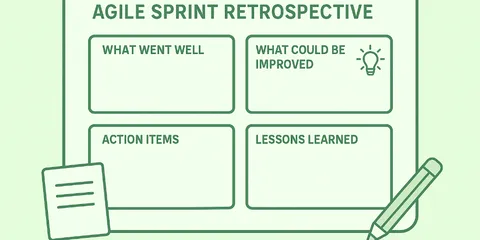
The most important thing after every change is to reflect on whether it was successful and what the next change will be. This is exactly why retrospectives are needed now. In retrospectives, the team reflects together on the collaboration, the effectiveness of the measures implemented and addresses new problems.
As a manager, you use retrospectives to ensure that your team continuously introduces improvements and does not stand still.
The retrospective is the meeting in which the team jointly assumes leadership responsibility and continues to develop.
🤔 You are unsure what retrospectives are and how they help you implement self-organization in teams? Then take a look here:
Practical tip #4 - Retro tool for self-managing teams:
If your team doesn’t have much experience with retrospectives, I recommend trying out a retro tool like Echometer. With retro tools, it will be much easier to motivate your team to participate in the retro with commitment and simply track your self-developed measures.
Echometer guides you through the retrospective so intuitively that you no longer even need a Scrum Master or Agile Coach for the retrospective.
Here you can try out Echometer for the self-organization of your team:
Try the Retro NOW - Psychological Safety Retro:
Psychological safety Health Check: How the retro works
-
Random Icebreaker (2-5 minutes)
Echometer provides you with a generator for random check-in questions.
-
Review of open actions (2-5 minutes)
Before starting with new topics, you should talk about what has become of the measures from past retrospectives to check their effectiveness. Echometer automatically lists all open action items from past retros.
-
Health Check
All team members can answer the health checks anonymously on a scale. Then go through the results of the health checks together and record any additional comments if necessary. If you use the same health checks in several retrospectives, you can also track trends over time in Echometer.
- I regularly receive useful feedback on how good my performance is and how I can improve.
- If a team member makes a mistake, they are not judged for it.
- You're allowed to not know things in our team.
- In conflicts, we talk on a factual level, so that no one feels personally attacked or judged.
-
Discuss retro topics
Use the following open questions to collect your most important findings. First, everyone does it themselves, covered. Echometer allows you to reveal each column of the retro board individually in order to then present and group the feedback.
- What else do we want to talk about?
-
Catch-all question (Recommended)
So that other topics also have a place:
- What else would you like to talk about in the retro?
-
Prioritization / Voting (5 minutes)
On the retro board in Echometer, you can easily prioritize the feedback with voting. The voting is of course anonymous.
-
Define actions (10-20 minutes)
You can create a linked action via the plus symbol on a feedback. Not sure which measure would be the right one? Then open a whiteboard on the topic via the plus symbol instead to brainstorm root causes and possible measures.
-
Checkout / Closing (5 minutes)
Echometer enables you to collect anonymous feedback from the team on how helpful the retro was. This creates the ROTI score ("Return On Time Invested"), which you can track over time.
Psychological safety Health Check
Health Check Questions (Scale)
Open questions