
Blameless retrospective template: learning and growing without blame
Problems are an inevitable part of every team. However, every problem also offers a valuable learning opportunity. To take advantage of this learning opportunity, you can conduct a retrospective without blame, where discussions are focused on learning and improvement without assigning blame to individuals.
Blameless retrospective template
What is a reproach-free retrospective?
A blameless retrospective is a structured process in which teams analyze an incident to understand what happened, why it happened, how the team responded and what can be done to prevent future incidents. The key aspect of such an investigation is that it is done without assigning blame to any one person. The focus is on understanding and improvement, not punishment.
Advantages of a reproach-free retrospective:
A reproach-free retrospective not only ensures that the originator of a problem does not feel bad, but also brings other benefits that have a positive impact on the development of the team:
- Psychological safety: An environment is created in which team members feel safe to admit mistakes and share insights.
- Culture of learning: Based on honest communication, improvement approaches can be identified more clearly.
- TeamworkReduces friction between team members by not assigning blame.
- PreventionHelps to identify systemic problems and process improvements.
Blameless retrospective template
The 4 questions that are asked in the blameless retrospective:
- Incident: What problem occurred and how did we respond?
- Cause: What led to this problem?
- Solution: How did we respond and what solutions were implemented to fix the problem?
- Risk Minimization: What steps can we take to prevent similar problems in the future?
If you want to try this retrospective or any of 50+ other templates for free, you can do so in our agile team continuous improvement tool:
Blameless retrospective template
Keep stop start retro: How the retro works
Random Icebreaker (2-5 minutes)
Echometer provides you with a generator for random check-in questions.
Review of open actions (2-5 minutes)
Before starting with new topics, you should talk about what has become of the measures from past retrospectives to check their effectiveness. Echometer automatically lists all open action items from past retros.
Discuss retro topics
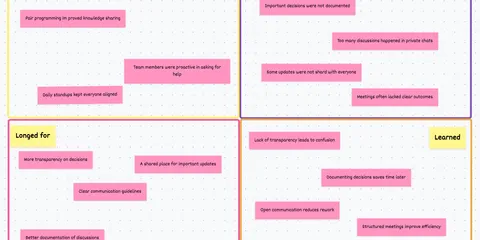
Use the following open questions to collect your most important findings. First, everyone does it themselves, covered. Echometer allows you to reveal each column of the retro board individually in order to then present and group the feedback.
- Incident: What problem occurred and how did we react?
- Cause: What has led to this problem?
- Solution: How did we react to solve the problem?
- Risk minimization: What steps can we take to prevent similar problems in the future?
Catch-all question (Recommended)
So that other topics also have a place:
- What else would you like to talk about in the retro?
Prioritization / Voting (5 minutes)
On the retro board in Echometer, you can easily prioritize the feedback with voting. The voting is of course anonymous.
Define actions (10-20 minutes)
You can create a linked action via the plus symbol on a feedback. Not sure which measure would be the right one? Then open a whiteboard on the topic via the plus symbol instead to brainstorm root causes and possible measures.
Checkout / Closing (5 minutes)
Echometer enables you to collect anonymous feedback from the team on how helpful the retro was. This creates the ROTI score ("Return On Time Invested"), which you can track over time.
Keep stop start retro

Blameless Retrospective Quote
Why Retrospectives Are Blameless
As experienced facilitators know, all retrospectives follow the Prime Directive:
Regardless of what we discover, we understand and truly believe that everyone did the best job they could, given what they knew at the time, their skills and abilities, the resources available, and the situation at hand.
– Norman L. Kerth, author of “Project Retrospectives”
Read the quote, i.e. the Prime Directive, twice and think about what exactly this means for your communication and your mindset in the retrospective.
When mistakes happen, it’s always about how you can help each other prevent similar mistakes in the future, or at least make them less likely. Anything that goes in the direction of blame has no place in a retrospective.
Facilitators should therefore identify all accusations as such, classify them, explain why they do not fit into the retrospective and steer the conversation back in a direction that is in line with the Prime Directive.
Blameless retrospective template
Conclusion: Retrospectives should always be blameless!
A blameless retrospective is a great way to improve a team’s collaboration. By focusing on learning and continuous improvement, we create an environment where innovation and problem solving can thrive. This approach not only helps to identify systemic problems and prevent future incidents, but also strengthens trust and openness within the team.
If you would like to try the “blameless retrospective” yourself, you can use our specially developed retro tool for free. It contains the template presented here as well as 50+ other retrospectives for improving your team.

"Many team members are afraid to speak up!"
Solve this challenge
"We discover too many unexpected issues & bugs at a late stage!"
Solve this challenge
"Why does it sometimes take me hours to prepare a simple retrospective?"
Solve this challenge