
5 Interesting Sprint Retrospective Meeting Examples
Are you searching for “Sprint Retrospective Meeting Examples” on Google? Search no further, because you’ve landed in the right place. In this article, I’ll give you some examples of Sprint Retrospective Meetings that you can use for your next retrospective.
Here are five formats, ranging from classic to creative:
Sprint Retrospective Example #1
1. What Went Well Retrospective 👍 👎
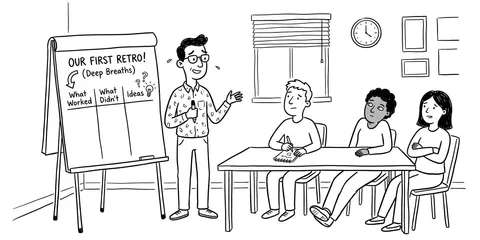
Let’s start with a classic. The “What Went Well?” retrospective asks three simple questions to find out what went well, what didn’t go so well, and what the team wants to improve in the next sprint cycle:
What Went Well Retro 👍: How the retro works
Random Icebreaker (2-5 minutes)
Echometer provides you with a generator for random check-in questions.
Review of open actions (2-5 minutes)
Before starting with new topics, you should talk about what has become of the measures from past retrospectives to check their effectiveness. Echometer automatically lists all open action items from past retros.
Discuss retro topics
Use the following open questions to collect your most important findings. First, everyone does it themselves, covered. Echometer allows you to reveal each column of the retro board individually in order to then present and group the feedback.
- What went well?
- What didn't go so well?
- How can we improve?
Catch-all question (Recommended)
So that other topics also have a place:
- What else would you like to talk about in the retro?
Prioritization / Voting (5 minutes)
On the retro board in Echometer, you can easily prioritize the feedback with voting. The voting is of course anonymous.
Define actions (10-20 minutes)
You can create a linked action via the plus symbol on a feedback. Not sure which measure would be the right one? Then open a whiteboard on the topic via the plus symbol instead to brainstorm root causes and possible measures.
Checkout / Closing (5 minutes)
Echometer enables you to collect anonymous feedback from the team on how helpful the retro was. This creates the ROTI score ("Return On Time Invested"), which you can track over time.
What Went Well Retro 👍

Sprint Retrospective Example #2
2. The Football Retrospective ⚽️
For all the sports fans in the agile world, the football retrospective might be just the thing to heat things up for the team. A nice retrospective that combines sportsmanship and the purpose of a retrospective:
Football Retro ⚽️: How the retro works
Random Icebreaker (2-5 minutes)
Echometer provides you with a generator for random check-in questions.
Review of open actions (2-5 minutes)
Before starting with new topics, you should talk about what has become of the measures from past retrospectives to check their effectiveness. Echometer automatically lists all open action items from past retros.
Discuss retro topics
Use the following open questions to collect your most important findings. First, everyone does it themselves, covered. Echometer allows you to reveal each column of the retro board individually in order to then present and group the feedback.
- One-Two: Where did we play particularly well together?
- Free kick: What opportunities are available to us?
- Foul: When did we break the rules?
- Goal: Where did we score a direct hit?
Catch-all question (Recommended)
So that other topics also have a place:
- What else would you like to talk about in the retro?
Prioritization / Voting (5 minutes)
On the retro board in Echometer, you can easily prioritize the feedback with voting. The voting is of course anonymous.
Define actions (10-20 minutes)
You can create a linked action via the plus symbol on a feedback. Not sure which measure would be the right one? Then open a whiteboard on the topic via the plus symbol instead to brainstorm root causes and possible measures.
Checkout / Closing (5 minutes)
Echometer enables you to collect anonymous feedback from the team on how helpful the retro was. This creates the ROTI score ("Return On Time Invested"), which you can track over time.
Football Retro ⚽️

Sprint Retrospective Example #3
3. The Three Little Pigs Retrospective 🐷
This retrospective is based on the fairy tale of the same name. The fairy tale is about three little pigs who build three different shelters to protect themselves from the big wolf. The question is: What does your team’s “shelter” consist of?
Three Little Pigs Retro 🐷: How the retro works
Random Icebreaker (2-5 minutes)
Echometer provides you with a generator for random check-in questions.
Review of open actions (2-5 minutes)
Before starting with new topics, you should talk about what has become of the measures from past retrospectives to check their effectiveness. Echometer automatically lists all open action items from past retros.
Discuss retro topics
Use the following open questions to collect your most important findings. First, everyone does it themselves, covered. Echometer allows you to reveal each column of the retro board individually in order to then present and group the feedback.
- House of Straw: What have we built that is barely holding together but could topple over at any moment? 🌱
- House of Sticks: What have we built that is relatively stable but could still be improved? 🪵
- House of Stone: What have we built that is rock solid? 🪨
Catch-all question (Recommended)
So that other topics also have a place:
- What else would you like to talk about in the retro?
Prioritization / Voting (5 minutes)
On the retro board in Echometer, you can easily prioritize the feedback with voting. The voting is of course anonymous.
Define actions (10-20 minutes)
You can create a linked action via the plus symbol on a feedback. Not sure which measure would be the right one? Then open a whiteboard on the topic via the plus symbol instead to brainstorm root causes and possible measures.
Checkout / Closing (5 minutes)
Echometer enables you to collect anonymous feedback from the team on how helpful the retro was. This creates the ROTI score ("Return On Time Invested"), which you can track over time.
Three Little Pigs Retro 🐷

Sprint Retrospective Example #4
4. The Meme Retrospective 😂
Memes were born with the modern Internet. Meme faces play a major role in this. In this retrospective, we’ve taken a rather humorous approach to looking back at the last sprint:
Meme Retro 😂: How the retro works
Random Icebreaker (2-5 minutes)
Echometer provides you with a generator for random check-in questions.
Review of open actions (2-5 minutes)
Before starting with new topics, you should talk about what has become of the measures from past retrospectives to check their effectiveness. Echometer automatically lists all open action items from past retros.
Discuss retro topics
Use the following open questions to collect your most important findings. First, everyone does it themselves, covered. Echometer allows you to reveal each column of the retro board individually in order to then present and group the feedback.
- Me Gusta: What did you like about the last sprint?
- 4 Real: When did you feel really fooled in the last sprint?
- I am watching you: What do you want to look out for in the future?
Catch-all question (Recommended)
So that other topics also have a place:
- What else would you like to talk about in the retro?
Prioritization / Voting (5 minutes)
On the retro board in Echometer, you can easily prioritize the feedback with voting. The voting is of course anonymous.
Define actions (10-20 minutes)
You can create a linked action via the plus symbol on a feedback. Not sure which measure would be the right one? Then open a whiteboard on the topic via the plus symbol instead to brainstorm root causes and possible measures.
Checkout / Closing (5 minutes)
Echometer enables you to collect anonymous feedback from the team on how helpful the retro was. This creates the ROTI score ("Return On Time Invested"), which you can track over time.
Meme Retro 😂

Sprint Retrospective Example #5
5. The Campfire Retrospective 🔥
Who doesn’t like sitting by a nice fire and talking about what happened and what the future might bring? I wouldn’t recommend making a fire in your office, but we’ve created a nice campfire retrospective for that:
Campfire Retro 🔥: How the retro works
Random Icebreaker (2-5 minutes)
Echometer provides you with a generator for random check-in questions.
Review of open actions (2-5 minutes)
Before starting with new topics, you should talk about what has become of the measures from past retrospectives to check their effectiveness. Echometer automatically lists all open action items from past retros.
Discuss retro topics
Use the following open questions to collect your most important findings. First, everyone does it themselves, covered. Echometer allows you to reveal each column of the retro board individually in order to then present and group the feedback.
- Warm Fire: What made you feel good during the last sprint?
- Turned to Ashes: What didn't work as desired and turned to ashes?
- The Shooting Star: What do you wish for in the future?
Catch-all question (Recommended)
So that other topics also have a place:
- What else would you like to talk about in the retro?
Prioritization / Voting (5 minutes)
On the retro board in Echometer, you can easily prioritize the feedback with voting. The voting is of course anonymous.
Define actions (10-20 minutes)
You can create a linked action via the plus symbol on a feedback. Not sure which measure would be the right one? Then open a whiteboard on the topic via the plus symbol instead to brainstorm root causes and possible measures.
Checkout / Closing (5 minutes)
Echometer enables you to collect anonymous feedback from the team on how helpful the retro was. This creates the ROTI score ("Return On Time Invested"), which you can track over time.
Campfire Retro 🔥

Conclusion – 5 Interesting Sprint Retrospective Meeting Examples
In addition to the classic “What Went Well” retrospective, I have selected four rather unconventional retrospective examples to highlight the variety of possibilities. I hope you have a little fun with it.