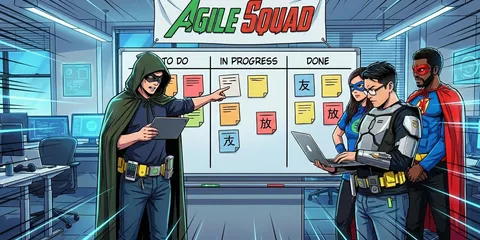

Agile Delivery 101: The No-fluff, Practical Guide for Leaders
Everyone is talking about “Agile Delivery” and you want a quick overview, some examples and best practices? You’ve come to the right place.

Agile Delivery 101: Overview, Best Practices & Examples
What is Agile Delivery?
Agile Delivery is a method of delivering value to customers and stakeholders using agile principles and practices.
Agile delivery is based on the idea of iterative delivery, i.e., presenting increments of the product or service early and often, and learning from customer feedback and data to improve and adapt.
Agile Delivery is not the same as “Waterfall Delivery”, a traditional way of creating value where planning, design, development, testing, etc. are pre-planned and then worked through sequentially.
You often hear that an agile team has a huge “backlog” of tasks that will dominate the next few months. And this is often referred to as “Agile Waterfall Delivery”. However, I would like to make it clear that there is no such thing as “Agile Waterfall Delivery”. And if someone claims to be using it, then things are being put together that don’t belong together.
Agile Delivery Basics
There are three main principles of Agile Delivery that you need to understand and apply:
- Deliver work increments early and often: Make sure everyone understands that value is only created when the customer has something useful in their hands. Everything that happens before that incurs costs and creates no value. No matter what you’re working on, it’s not “done” until a customer can actually use it. Accordingly, teams should not start new work until their previous work is being used by customers.
- Obtain quick and direct customer feedback: When teams deliver increments of work early and often, they can get feedback from real customers and act on that feedback. This only works if you have a structure that allows you and your team to get early feedback from real users. Common pitfall: Don’t let managers act as proxies for user feedback. Make it clear to managers that they may own the definition of “business value”, but not the definition of “customer value” - that belongs to the customers and should be explored directly by the Product Owner and the teams.
- Cross-functional teams: If your team has to talk to 10 other teams to deliver something to a customer, agile development won’t work for you (yet). Make sure you have teams that can take ownership of the entire process, make decisions independently, and talk to customers.

Agile Delivery 101: Overview, Best Practices & Examples
Agile Delivery Examples - 2 Agile Organizational Models
There are many different agile organizational models that can help you implement agile in your context. Here are two examples of popular models you can learn from:
-
Scrum: This is an agile framework that helps teams create value iteratively and incrementally.
- Scrum defines three roles: Scrum Master, Product Owner and development team.
- It also defines four events: Sprint Planning, Daily Scrum, Sprint Review and Sprint Retrospectives.
- And it defines three artifacts: product backlog, sprint backlog, and increment.
Scrum is well suited for small to medium sized teams or projects that have clear and stable requirements and deliverables.
-
Spotify model: The Spotify model is an agile organizational model developed by Spotify, a music streaming company.
The Spotify model divides teams into Squads, Chapters, Tribes, and Guilds.- A squad is a small cross-functional team that delivers a specific function or product.
- A chapter is a group of people who have similar skills or tasks, such as developers, testers, designers, etc.
- A tribe is a group of squads working on a related field or domain.
- A guild is a community of interest that spans the entire organization.
The Spotify model is well suited for large organizations or programs with complex and dynamic requirements and outcomes.
Next, I would like to point out a classic management method that also plays an important role in an agile context: One-to-one meetings.
As you can see from the following graphic, employees consider them to be very important.

Best practice: One-to-one meetings with developers
Leading software developers in regular one-to-one meetings is absolutely central to Agile Delivery Leads. They are perhaps your most important meeting. Do you take them seriously
I would like to take this opportunity to draw your attention to our free one-to-one meeting software, which has been specially developed for agile teams. Make your 1:1 meetings exciting, measure trends and, above all, make progress in your employee development!
Feel free to try out one of our templates, see below. The following template is a standard template for, for example, bi-weekly one-on-one meetings. It also includes a measurable “mood check” at the end, which you can of course customize:

👋 Welcome & Icebreaker
- What's the weather like in your project / your tasks right now?
📕 Employee Topics [Name]
- …
👈 Manager Topics
- What went well?
- Challenges?
- Next priorities?
⁉️ Mood Check (Survey)

Agile Delivery 101: Overview, Best Practices & Examples
Agile Delivery - The Best Practices
To be successful in agile deployment, you need to follow some best practices that will help you optimize your deployment process and results. Here are some of them:
- Lead self-organized and independent teams: As an Agile leader or manager, you need to empower your teams to make decisions, take responsibility, and stand up for their work. You need to trust them to do their best without patronizing them or imposing unnecessary rules or restrictions. You also need to support them by giving them the resources, tools, feedback and recognition they need.
- Have direct customer contact: As a member of an agile team or as a product owner, you need to interact directly and frequently with your customers. You need to understand their needs, expectations, and preferences and deliver value that meets or exceeds them. You also need to gather feedback from them on your product or service and use it to improve and adapt your offering.
- Think of each new feature as an experiment you can learn from: As a member of an agile team or as a product owner, you need to treat each new feature or requirement as an experiment to test your assumptions and hypotheses about what your customers want or need. You need to carefully design your experiments, objectively measure your results, and learn from your data and feedback. You must also be prepared to rethink or move on based on your results.
That’s all you need for an overview. I hope this article helps you understand more about agile deployment, its fundamentals, examples and best practices. If you have any questions or feedback, please let me know 😊.

"Many team members are afraid to speak up!"
Solve this challenge
"We discover too many unexpected issues & bugs at a late stage!"
Solve this challenge
"Why does it sometimes take me hours to prepare a simple retrospective?"
Solve this challenge